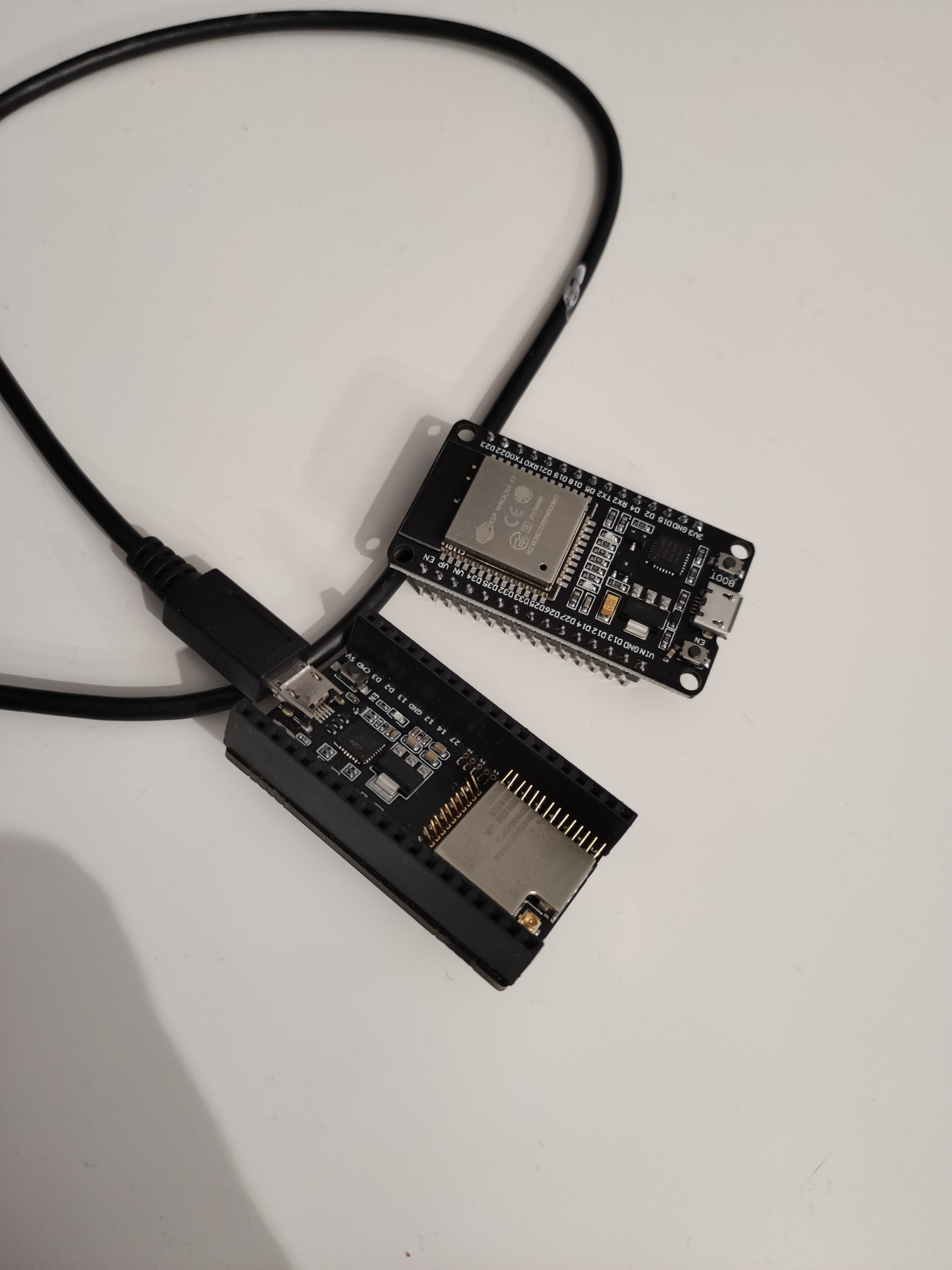
As I promised in my workshop during “Lodzkie Dni Informatyki,” this is the first entry that will be all about setup and pre-work.
This short post will walk you through all the required hardware and software to start your journey with ESP32 and cloud IoT.
 Photo by
 Software
Let’s start with the software and review all the necessary elements.
Source code editor
Let’s start with source code editor - my personal preference is Visual Studio Code. I am using it from the beginning - 5 years already. You can find it here, Visual Studio Code - Code Editing. Redefined.
The main reasons are:
As recommended plugins, I would start with:
Basic tools
Since I will be using “Espressif IDF” as prerequisites, we need are:
As an optional, I would recommend:
Toolchains
Installing the Espressif IDF toolchain using the VS Code plugin is the simplest way of doing it.
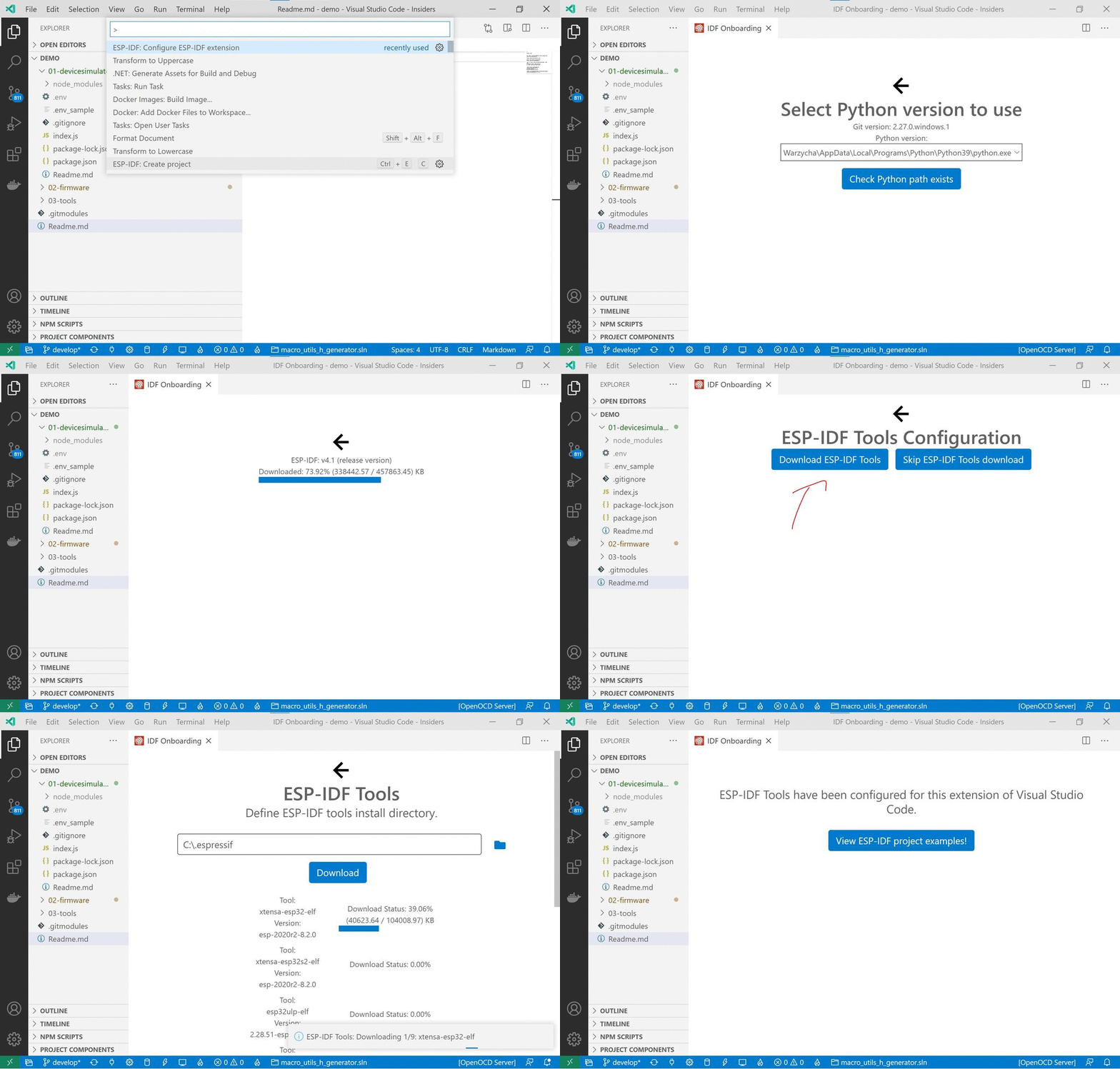
Small notice for Windows users: If your home path has whitespace, you may experience issues. To avoid it, please use different folders.
The gif below summarizes the installation process. More info https://docs.espressif.com/projects/esp-idf/en/stable/get-started/#get-started-get-esp-idf
Hardware
Devkit
I would personally suggest buying a few devkit modules f.e ESP32-DevKitC-32U.
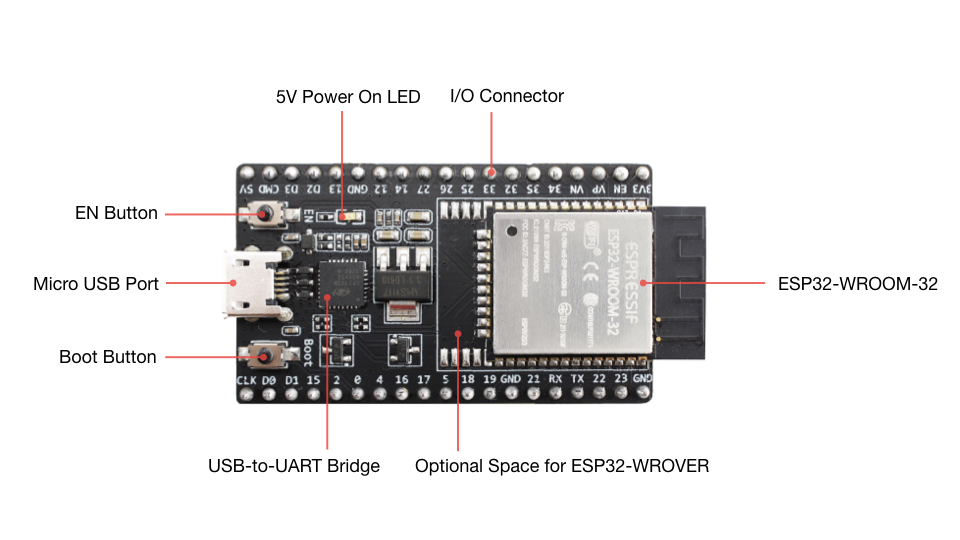 ESP32-DevKitC-32U
USB A / micro USB B cable
USB connectivity seems to be the only “magic” part that I didn’t figure out yet; some cables works; some don’t. Please test it case by case.
 Photo by
 Serial connection drives and troubleshooting - https://docs.espressif.com/projects/esp-idf/en/stable/get-started/establish-serial-connection.html
Please share your progress in the comments, and see you next time.